Copy An Account From Another Server With Root Access
User account duplication on different servers is a frequent administrative operation. It is required for server migrations, load balancing, and disaster recovery. Duplicating user accounts is made easier with root access on both source and destination servers for the complete user environment including home directory, shell, group memberships, file permissions, and file ownership to be seamlessly transferred.
Primarily, the challenge lies in fully duplicating and protecting moving the home directory relevant critical account configuration files such as /etc/passwd, /etc/group and /etc/shadow. This guide aims to describe a user account duplicating method with minimal downtime and configuration error.
Go to WHM on our server and log in.
Type “Transfers” into the top left search box.
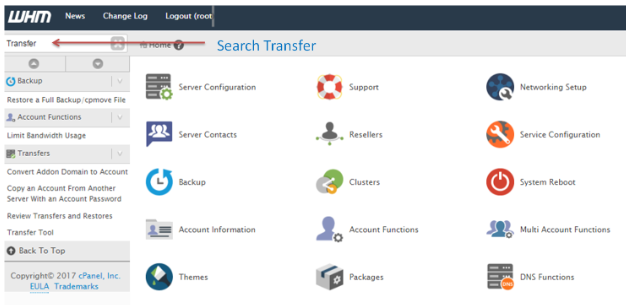
Click on “Transfer Tools” after the Transfer section is displayed.

Now, the Remote Server Information page is displayed.
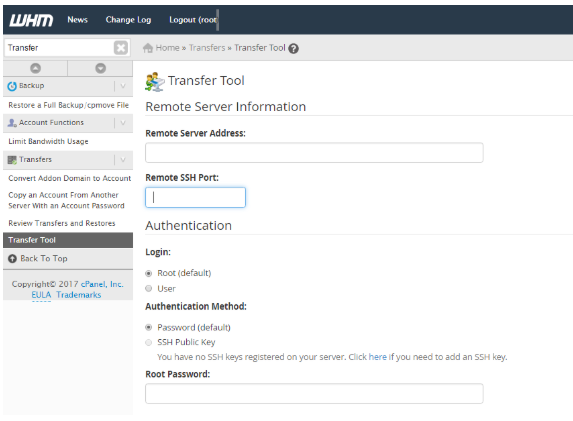
Enter Your Remote Server Address.
Then enter the port number. Remote SSH Port is 22 by default but if you have any other port you can enter that in the Remote SSH Port section.
Input the root password.
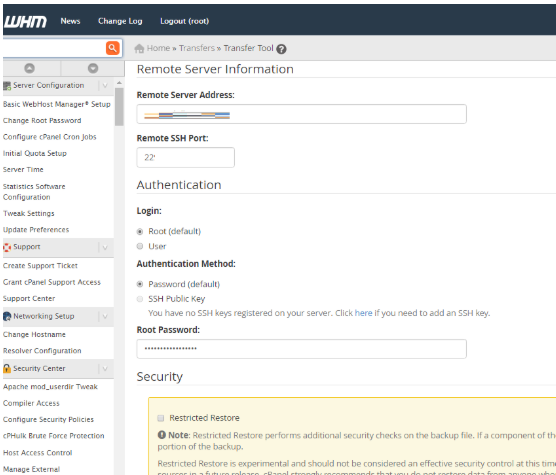
To have the software pull all the email accounts on the server, click on the Fetch Accounts.
This will provide all the accounts on the server.
A pop-up should appear. Click on the account you wish to copy.
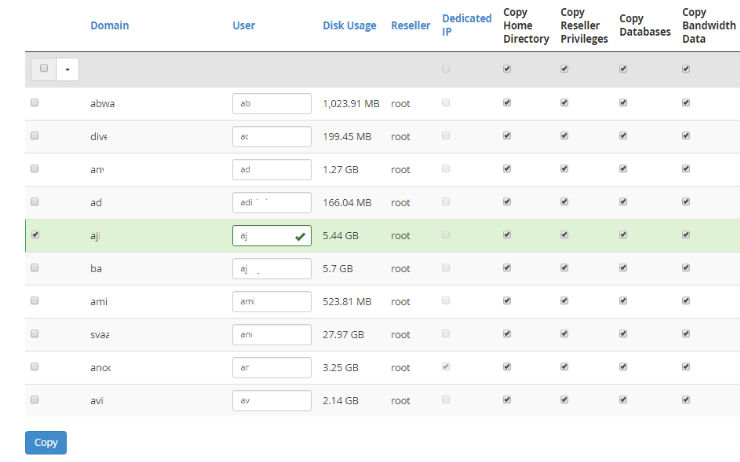
To have the partition assigned to the new account, tick the Dedicated IP checkbox.
Hit the Copy button when you are done.
Conclusion
With all the necessary permissions, you are able to copy, or migrate, a user’s account. This serves as a wonderful administrative skill, especially when users of the server are to be given the same environment on another server and the environments have to be consistent. To do a proper migration, work on the necessary files that are the home folder of the user that needs to be moved as well as the files /etc/passwd, /etc/group and /etc/shadow.
Use a tool that you are comfortable with and is strong enough to do the job. Just remember to always keep some specific guidelines intact. On the new server, the transferred files should maintain the same ownership and proper server permissions should be restored. You should always double-check the server files after moving. This allows the user to pick up right where they left off on the new server.
