How To Change File Permissions In cPanel?
This tutorial provides the details about the alteration of file permissions on cPanel. File permissions are critical to operating systems, which determine the way a request to manipulate files is to be handled.
There are three different types of file permissions namely: the ‘Read’ permission, which enables one to read a file; the Write permission, which allows a file to be changed; and the Execute permission, which allows a file to be executed.
The following are the directions on how to edit file permissions in cPanel:
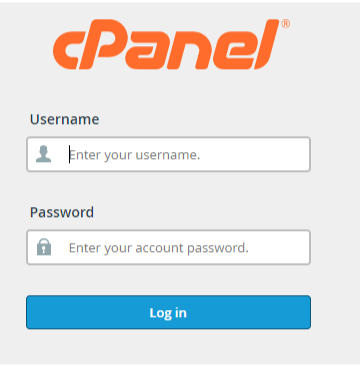
Login to cPanel.
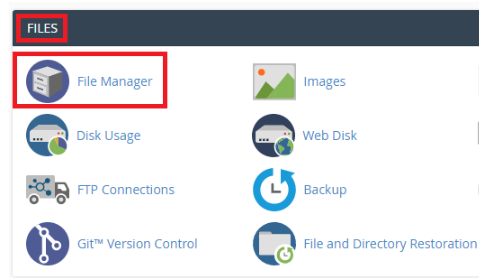
Go to the Files Section and open File Manager.
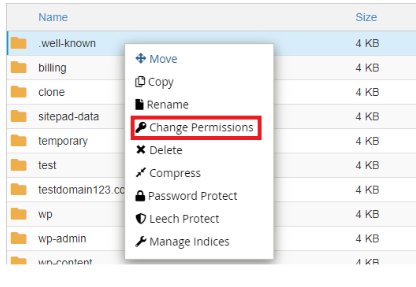
All files will be displayed in the File Manager; choose the file about which you want to change the permissions, right-click on it and choose the option of Change Permissions.
You will be presented with a dialog box where you will be able to view the existing permissions.
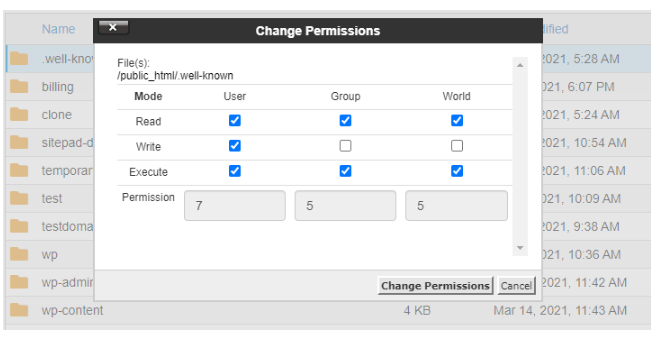
The permissions section has three categories, namely, User, Group, and World with their respective access controls of read, write and execute. The checkbox selection provides the permission. The needed boxes can be checked or unchecked to change the permissions, and the value of permission is shown automatically at the bottom of the dialog.
The next step is to make the relevant adjustments and then press the Change Permissions button. One should always take care in adding or changing file permissions because this can affect how your webpage operates.
