Accessing cPanel From A Dynamic IP Address
If you’re an IP address user from your ISPs system, this is a daily necessity. It’s frustrating to get access to cPanel to get locked out for a period. Accessing cPanel, you’re locked out, and access to cPanel is a daily necessity to connect. ISPs assign dynamic IP addresses as well. Changing IP address, a cut is fine updating firewall settings, and may benefit from constant, reliable access to cPanel. This guide to resolving the user challenges to secure.
Your ISP has the ability to get access to a static IP, but otherwise you are more than welcome to undergo the steps listed below.
1. In cPanel, access the ‘Subdomains’ menu.
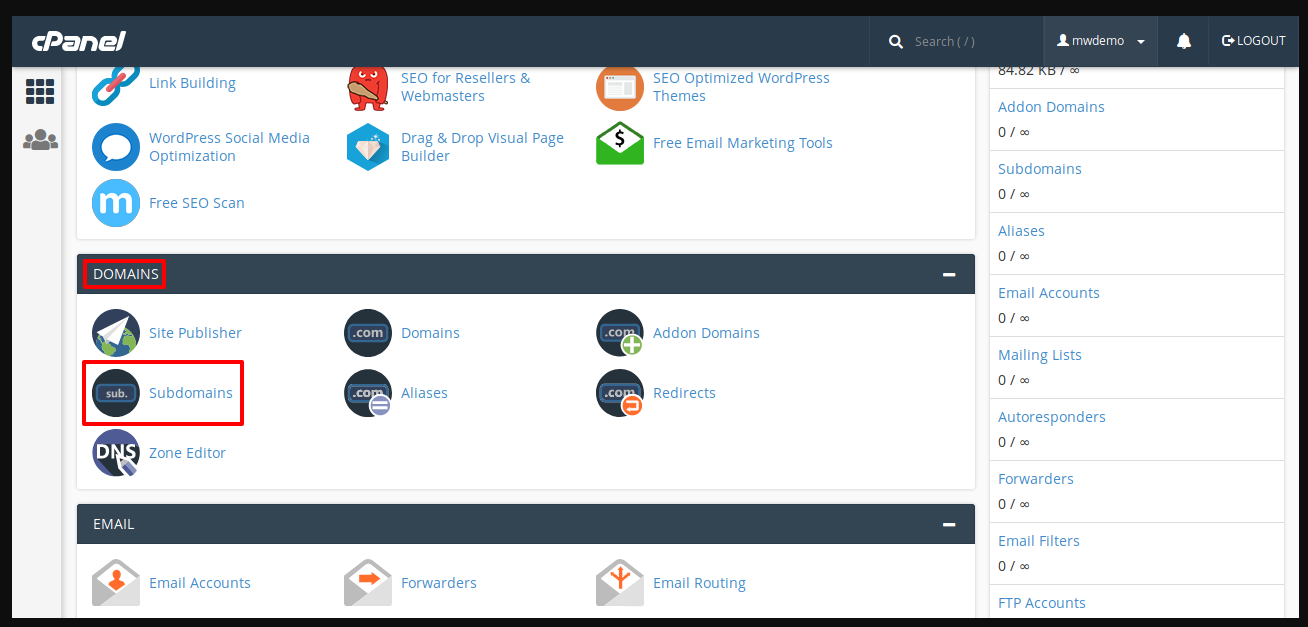
2. For webmail and WHM, you will have to create other subdomains and create a subdomain ‘cpanel’.
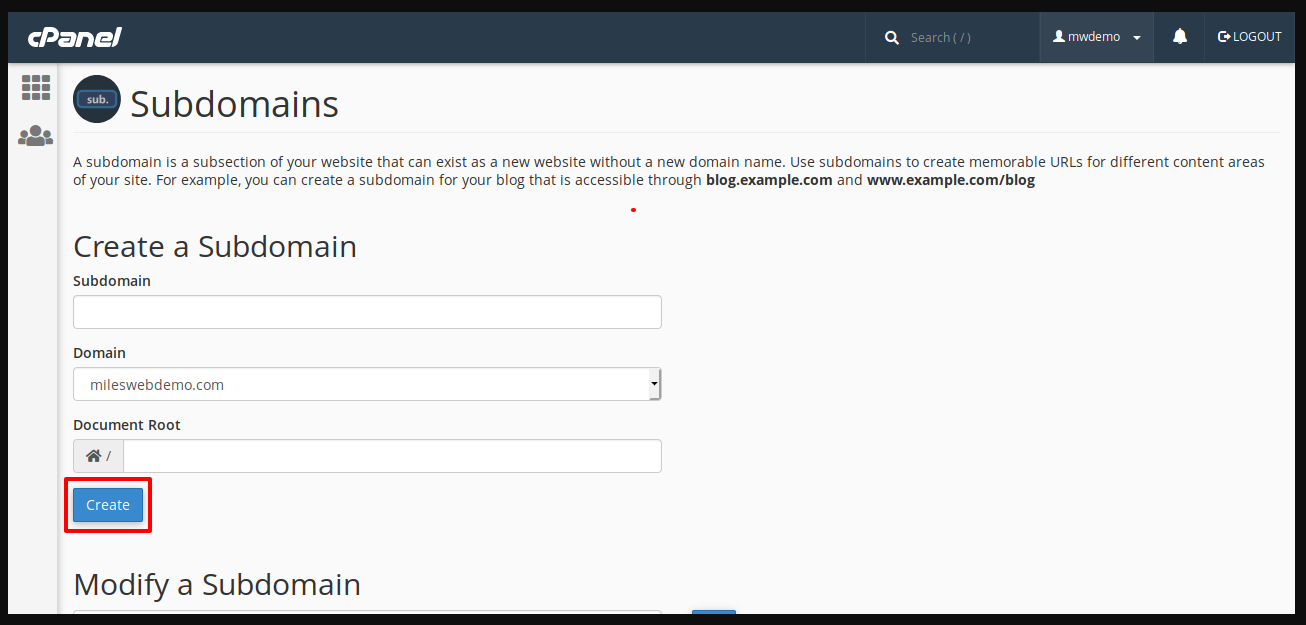
3.Download the cPanel proxy to your personal computer.
4.From ‘FileManager‘, navigate to the newly created folder public_html/cpanel (or public_html/webmail, public_html/whm folder) >> select the Upload option and browse to the file available on your computer to upload it.
5.Return to the newly created folder and click the Extract button.
Conclusion
Dealing with the implications of having to access cPanel from a dynamic IP address does implement some security challenges. However, cPanel security policy bypass, Static VPN, or a combination of DynDNS with your server firewall, achieve the right balance between security and accessibility. Updating IP addresses manually to gain access to server management is no longer a hassle. Managed and consistent access to your server management is a gain with these methods. However, strong passwords, 2FA and other access management tools should be used to make sure that. Though easily accessible, systems remain hard to breach for unauthorized access.
