How to Access the In-Browser Terminal Interface from WHM?
In the cPanel and WHM, access to the command line is allowed directly through the session; this is only allowed by those users who log in as the root user.
The process of entering the Terminal Interface through WHM is as follows.
– Use root credentials to log in to your WHM account.
– Choose the side menu of Server configuration.
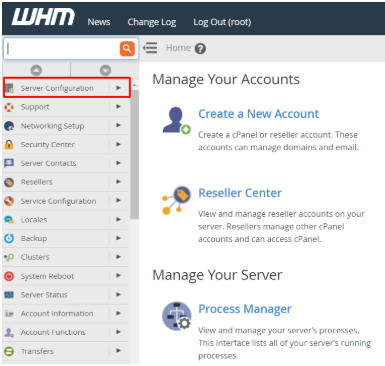
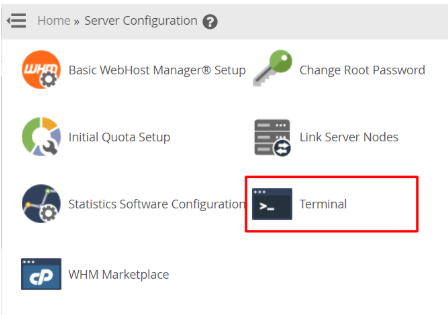
– Click the Terminal option.
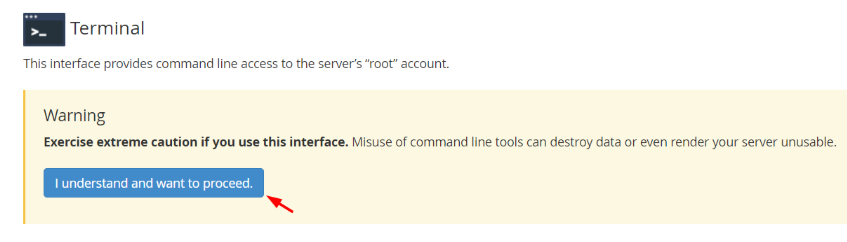
– A cautionary message will be displayed on the display, because the tools of the command-line will have a direct impact on the system, and one wrong command may result in irreparable harm.
– Click I understand and want to proceed.
– The black screen will be displayed with a blinking cursor; the command-line interface of the server root account.
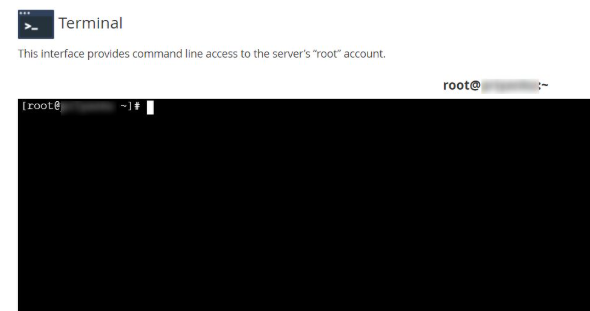
– You can control and make instant modifications to the server using this interface.
