Introduction
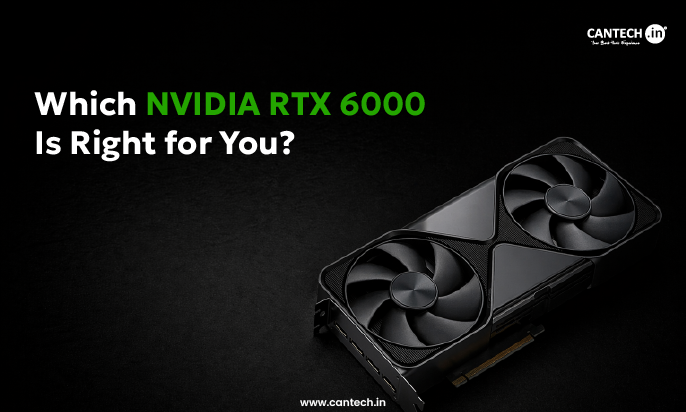
In 2026, there are 4 GPUs in the NVIDIA RTX 6000 series and they are built for different workflows. Here’s the one line decision frameworks; choose the RTX 6000 Ada if your workloads fit in the 48GB and budget is an important consideration; choose RTX PRO 6000 Blackwell Workstation Edition if you require maximum single GPU throughput; choose the server edition for rack deployments and check Max-Q if thermal density is a major limitation. Still confused? Let us help you decide which is ideal for your setup.
The RTX 6000 Lineup : Overview
Here is a brief overview of the NVIDIA RTX 6000 Series GPUs.
RTX 6000 Ada Generation
This is a previous generation flagship built on the Lovelace architecture. It is a professional grade graphics card with superior all round performance. Besides this, it supports NVLink.
RTX PRO 6000 Blackwell Server Edition
It is built entirely for data center and rackmount environments. It uses passive heatsink which relies on external server airflow. It’s the go to for high quality density compute racks which run continuous workloads at scale.
RTX PRO 6000 Blackwell Workstation Edition
The most powerful desktop GPU ever built. It is a full power 600w desktop card which is ideal for single GPU high throughput workflows such as large scale rendering, LLM inference and complex simulation.
RTX PRO 6000 Blackwell Max-Q Workstation
It is a similar hardware just like the basic workstation edition above, but with few design differences which makes it better suited for multi-GPU setups.
Read more about what is RTX 6000 ADA in detail.
Spec Comparison Table
Here’s a side by side comparison of 4 different models of RTX 6000 Series GPU.
| Specs | RTX 6000 ADA | RTX 6000 Blackwell WS | RTX 6000 Blackwell Server | RTX 6000 Max Q |
| Architecture | Ada | Blackwell | Blackwell | Blackwell |
| VRAM | 48 GB GDDR6 | 96 GB GDDR7 | 96 GB GDDR7 | 96 GB GDDR7 |
| Memory Bandwidth | 960 GB/s | 1792 GB/s | 1792 GB/s | Reduced |
| NVLink | Yes | No | No | No |
| MIG Support | No | Yes | Yes | Yes |
| Price | $6800 | $8500 | $11,780 | $10,931 |
Architectural Comparison: Choosing between RTX 6000 Ada (48GB) and RTX PRO 6000 Blackwell (96GB)
Here is a brief comparison between Choosing between RTX 6000 Ada (48GB) and RTX PRO 6000 Blackwell (96GB) architecture in terms of specs, to help you decide on the best one.
1. RTX 6000 Ada Generation
- Power: This architecture can fit in any existing workstation which builds without requiring a PSU upgrade, special cooling setup. It comes with a cooler that helps maintain the thermal.
- VRAM: 48 GB GDDR6 ECC memory has a great amount of VRAM for professional workloads. Manages complex CAD models, 3D scenes, simulation datasets and medium level AI workflows effortlessly.
- NVLink Support: Ada architecture GPU comes with NVLink support, it also allows two GPUs to pool their VRAM and communicate at high bandwidth which is useful for distributed rendering, simulation and workloads.
2. RTX 6000 Blackwell Generation
- FP4 Support: Blackwell supports FP4 inference, which delivers 2 times the inference throughput of FP8 for compatible AI Workloads. For the teams that run large volume LLM inference where tokens per second matters, this provides better benefit over Ada..
- VRAM: Double the VRAM, the single most important upgrade. It runs on 70B class LLMs locally, which loads massive scene assets, training on a large datasets – all of it becomes possible on a single card. It fundamentally removes the memory ceiling which allows multi-GPU setups and cloud rental.
- MIG Support: Blackwell supports multi-instance GPU lets single card to be divided into four isolated 24GB instances. It can turn one GPU into a genuinely flexible multi-tenant resource.
- Latest RT Cores and Neural Rendering: 4th gen RT Cores offer 2 times ray tracing performance of Ada, which also includes RTX Mega geometry support that enables 100x more ray traced triangles per each scene.
Which NVIDIA RTX 6000 GPU is Right for You
Here are our GPU recommendations for your use case.
AI Developers and LLM Engineers
Choose the RTX PRO 6000 Blackwell for large memory workloads, production inference, and improved performance with FP4 support. RTX 6000 Ada is a great mid-scale option when models fit in 48 GB.
3D and VFX Studios
Select RTX PRO 6000 blackwell workstation edition for large rendering, and RTX 6000 Ada if your visuals fit in 48GB and if budget is a limitation.
Engineering / Simulation / CAD
Select RTX 6000 Ada if workflows are not VRAM constrained; Blackwell if runs heavy FEA, CFD or multi-physics simulations at the same time.
VDI Deployments / Enterprise
Choose RTX PRO 6000 Blackwell server edition – the 96 GB VRAM and MIG feature lets partitioning the GPU upto 4 parallel VDI users with large memory for graphics heavy desktops.
Budget Conscious Business
Select RTX 6000 Ada – the RTX PRO 6000 Blackwell better options at affordable price, than the previous generation RTX 6000 Ada.
Conclusion
Making the right choice between RTX 6000 Ada and RTX PRO 6000 Blackwell comes down to one question. Does your workflow really need 96GB RAM of VRAM and Blackwell level AI outcome? If yes, the upgrade is justified. If not, Ada is a near perfect option and has almost everything a professional needs at comparatively lower cost and power.
But before deciding to purchase either of them, test your real workloads on Cantech’s NVIDIA RTX 6000 Dedicated GPU Servers which comes with a free 24 hour trial. Then choose the right GPU hosting plan that suits your needs from our website. Start your Dedicated GPU journey with Cantech today!
FAQ’s
What Are the Benefits of an NVIDIA RTX 6000 GPUs
- Excel at managing multiple tasks at once for AI, big data processing, machine learning, etc.
- Facilitate rapid training times of machine learning models. It can also deploy complex models much faster.
- Enable amazing visuals and smooth performance for gaming and graphic design.
- They also offer superfast processing for tasks like AI model training, video rendering and data analysis.
- They can also run simulations or scientific calculations and handle those intensive tasks efficiently and faster.
Who can use the NVIDIA RTX 6000 GPUs?
The RTX 6000 is not built for ordinary office tasks. It is designed for professionals running the largest, most complex workloads, such as advanced simulation, AI model training and fine-tuning, 3D design and rendering or visual effects compositing.
Is the RTX 6000 a better option?
Overall, it’s a well-rounded option. It comes with 48GB of GDDR6 ECC memory, a better 18,176 CUDA cores, up to 91.1 TFLOPS of single-precision performance, and 300W TDP, the RTX 6000 Ada can manage complex tasks and multi-application workflows without expensive price tag or power demands of a Blackwell series GPU.