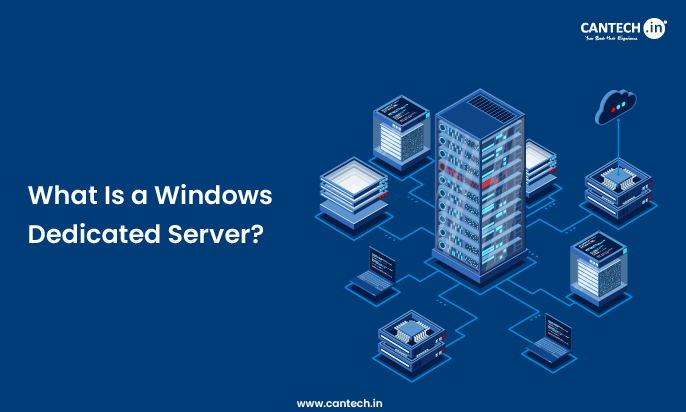
A windows dedicated server is a physical server that is assigned to a single user using Microsoft windows server operating system. It offers complete administrative control, high-performance and native support to Windows based applications like the ASP.NET, MSSQL and the .NET frameworks. As opposed to the shared or virtualized hosting, all resources of the hardware are allocated to your workloads such as CPU, RAM, storage, and bandwidth. In this blog, it is described what Windows dedicated hosting is and how it functions, the main features and advantages of such services, the typical applications, and the way of selecting the appropriate plan. It caters to IT decision-makers, developers, businesses with Windows-centric applications, as well as system administrators.
What Is Windows Dedicated Server/Hosting? Definitive Guide
Dedicated hosting provides a tenant with dedicated server resources. When it is presented as a platform driven by Microsoft windows server, it becomes a specific platform, which is tuned to support enterprise, ecommerce and application applications which depend on windows technologies.
This guide breaks down:
- Windows dedicated hosting and its underlying definition and mechanics.
- Key features and advantages
- Technical and business applications.
- Novation, administration, and licensing.
- Selecting the correct provider and plan.
It is aimed at business owners, leaders of IT systems, developers, and system admins who consider dedicated infrastructure to Windows-based systems.
What Is Windows Dedicated Server Hosting?
A windows dedicated server is a dedicated single, physical server used by a single specific customer and is running a licensed windows server operating system (e.g. windows server 2019/2022). You obtain complete access as an administrator, dedicated hardware, and no resource sharing with other tenants.
Dedicated servers are available in comparison to shared or VPS hosting and have:
- Full hardware allocation
- Full access to software and setups.
- Increased performance and reliability.
- Business-level security and networking.
Under Windows dedicated hosting, the physical hardware and network connectivity are installed and maintained by the provider and you control the operating system and applications unless you identify a managed service.
Core Components of Windows Dedicated Hosting
Operating System
- A licensed Microsoft Windows Server OS (Standard, Datacenter) which includes:
- Integrated support of .NET, ASP.NET, MSSQL.
- Windows authentication and Active Directory.
- PowerShell automation
Hardware Resources
- Devoted CPUs, RAM, storage (HDD/SSD) and bandwidth, which is not shared with other customers.
- Control & Access
- Full administrator privileges permitting:
- Bespoke software installation.
- Full IIS configuration
- Performance tuning
- Firewall settings and security.
Support & Management
- The provider can provide:
- OS patching and updates
- Security hardening
- Monitoring and backups
How Windows Dedicated Hosting Works
When you buy windows dedicated hosting:
- The provider offers a physical server in a data centre.
- Microsoft windows server is installed and enabled.
- You are issued with administrator privileges and remote access (RDP).
- You set up the server to your applications.
- The provider takes care of network connectivity, power and hardware.
In contrast to virtual private servers (VPS) with a shared machine, the whole machine is at your disposal, and there is no competition on CPU, memory, or disk I/O.
Key Features & Benefits
Full Resource Control
No shared CPU, RAM, or storage with others-ensuring:
- Predictable performance
- Full utilization of hardware power.
- Low latency and high throughput.
Windows Ecosystem Support
Native compatibility with:
- ASP.NET applications
- Microsoft SQL Server (MSSQL)
- .NET Framework and .NET Core
- SharePoint and Microsoft Exchange
Administrative Access
As an administrator, you are able to:
- Install custom applications and services
- Develop security optimization policies
- Get IIS set up to your liking
Security & Compliance
Special hardware and windows security systems (Windows Defender, group policies) are used to address the compliance needs of the controlled industries.
Scalability Options
Physical hardware capacities are hard limits but you can upgrade components or scale to a larger server without needing to switch platforms.
Windows Dedicated Hosting vs Other Hosting Types
| Feature | Shared Hosting | VPS Hosting | Windows Dedicated Hosting |
|---|---|---|---|
| Resource Allocation | Shared | Virtualized | Dedicated |
| OS Options | Shared | Shared or Windows/Linux | Windows only |
| Performance | Lowest | Medium | Highest |
| Admin Control | Limited | Moderate | Full |
| Best For | Small sites | Growing apps | Enterprise/Windows apps |
Windows dedicated hosting is on the highest level of performance and control and is required in situations where you require complete access to hardware and Windows environment support.
Common Use Cases
Enterprise Applications
Huge .Net applications, old business system, ERP/CRM.
High-Traffic Websites
Websites that have a high traffic and require resources and stability.
Database-Centric Workloads
Windows + MSSQL analytics, reporting and transactional systems.
Custom Software Deployments
Applications that demand deep OS access, faux pas, or proprietary windows services.
Windows Licensing & Costs
Windows dedicated hosting costs involve:
- Hardware and network services.
- Licensing Microsoft windows server.
- Elective licensing of SQL Server.
- Elective managed service charges.
Microsoft licensing is generally more expensive than dedicated Linux server, but it’s essential for legally, securely, and reliably running Windows-specific workloads on a dedicated server pricing model that supports enterprise-grade performance and compliance.
Managed and Unmanaged Windows Dedicated Hosting
Managed Hosting
Provider handles:
- OS patches and updates
- Security monitoring
- Backups
- Some technical support
- Lightweight and user-friendly.
Unmanaged Hosting
You handle all:
- OS configuration
- Security
- Monitoring
- Optimization
Most suitable: The experienced administrator who wants maximum control.
Choosing the Right Windows Dedicated Hosting Plan
Consider:
- Type of workload (custom services, web apps, databases)
- Performance requirements (CPU cores, RAM, SSD/NVMe)
- Figure of bandwidth and network requirements.
- Managed support level
- Backup and redundancy features.
Compare them with your anticipated traffic, uptime requirements, and technical capabilities.
Conclusion
Windows dedicated hosting is a high-performance, fully manageable server space tailored to Microsoft technologies and business-level workloads. It provides a unique hardware, administrative freedom, scalability, and Windows-centric software stacks interoperability.
Select windows dedicated hosting when your applications rely on .net, ASP.net, MSSQL, active directory, or when predictable performance and high uptime are the requirements. It is appropriate with developers, IT departments and business that require a powerful, dedicated infrastructure with intensive OS control and native windows support.