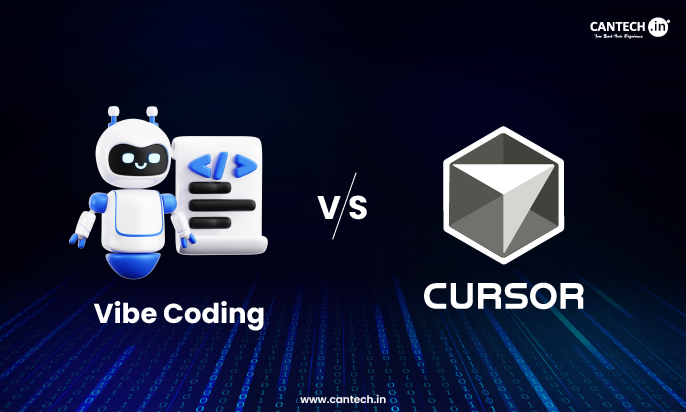
Vibe coding is a coding practice where developers consider intent, flow, and solving problems and rely on AI as a helper.
Cursor is an AI-based code editor, which directly integrates large language models into the IDE to create, refact, and comprehend code.
You do not decide between one and the other.
Vibe coding is a mindset. Cursor is a tool.
Cursor can support vibe coding, whereas it is possible to have vibe coding without Cursor.
What Is Vibe Coding?
In vibe coding, a human-based form of development, the following take place:
- The architecture and intent are controlled by the developer.
- AI is employed in acceleration, not in decision making.
- The priority is still on code quality, logic, and maintainability.
In vibe coding:
- You “think in systems”
- You lead AI with specific instructions.
- You edit, revise, and polish all that AI creates.
It is not automation but flow + clarity.
To know more about vibe coding read our in-depth guide on What is Vibe Coding?
Core Characteristics of Vibe Coding
- Intent-first development
- Good mental model of the codebase.
- Selective AI usage
- High human oversight
What Is Cursor Editor?
Cursor is an AI-native code editor that is based on VS Code and incorporates large language models into the development process.
Cursor allows developers to:
- Inquire of them about their codebase.
- Write or edit code through natural language.
- Refactor files within a project.
- Contextual artificial intelligence debugging.
It is meant to minimize the time between thinking and coding.
Related blog: Vibe Coding vs Traditional Coding
Key Features of Cursor Editor
1. Codebase-Aware AI
Cursor understands:
- Project structure
- File relationships
- Existing logic
This puts context in the responses as compared to simple chat-based AI tools.
2. Inline Code Generation
You can:
- Write remarks and transform them into code.
- Make amendments with prompts.
- Rewrite functions between files.
3. Fast Iteration
Cursor speeds up:
- Boilerplate creation
- Refactoring
- Code explanations
Yet it is still based on developer judgment.
Vibe Coding vs Cursor Editor: Core Differences
| Aspect | Vibe Coding | Cursor Editor |
|---|---|---|
| Type | Development approach | AI code editor |
| Role | Mindset & workflow | Tool & interface |
| AI Dependency | Optional | Built-in |
| Human Control | Primary | Shared |
| Works Without AI | Yes | No |
| Risk of Over-Automation | Low | Medium if misused |
Related Blog: Vibe Coding vs AI Code Editors
How They Work Together
Cursor can best be used with a vibe coding attitude.
Good Combination
- Architecture is defined by developer.
- Cursor speeds up implementation.
- Outputs are reviewed and refined by human beings.
Bad Combination
- Still believing AI code.
- Allowing system design to be defined by Cursor.
- Omission of validation and testing.
Cursor enhances the process of coding but not the process of thinking.
When to Choose Vibe Coding Alone
Apply vibe coding without intensive AI tools when:
- Involved in the design of a complex system.
- Penning security sensitive logic.
- Optimization of performance sensitive code.
- Maintaining legacy systems
Speed is less important than deep understanding in such situations.
Related Blog: Top 7 Vibe Coding Alternatives
When Cursor Editor Makes Sense
Cursor is ideal when:
- Building MVPs quickly
- Operating with new structures.
- Refactoring of large code bases.
- Exploring APIs or SDKs
- Lessening redundant coding.
It is not a decision-maker but a force multiplier.
Common Misconceptions
“Cursor replaces developers”
False. Cursor, replaces not thinking, but typing.
Vibe coding translates to no structure.
Wrong. Vibe coding needs more, rather than less structure.
“AI editors never make it less productive”
It is only when the developer understands what to accept and what to reject.
Conclusion
Vibe coding describes the way the developers think and make decisions, whereas Cursor describes the way how well the developers are performing the decisions. One is an attitude, the other is a device. The best implementation method is to base it on vibe coding and apply AI editors such as Cursor to accelerate the process – without losing control of the architecture or code quality.
Related Blog: Top 6 Vibe Coding Tools