How to Set up a Default Email Address via cPanel?
The default email addresses will come in handy when a sender tries to write an email to an invalid email address in your domain.
An example is when a sender sends mail to [email protected] which does not exist but rather [email protected], the message will be forwarded to default email address of the example.com default: default at example.com.
Warning: In case the sender has coupled to a wrong domain, default email address will not work and the message can be lost. It is best to make sure that one has a default email address before setting it up.
In order to configure a default email address.
Log in to your cPanel account.
It can be found in the Email section of the dashboard where you should Click on Default Address.
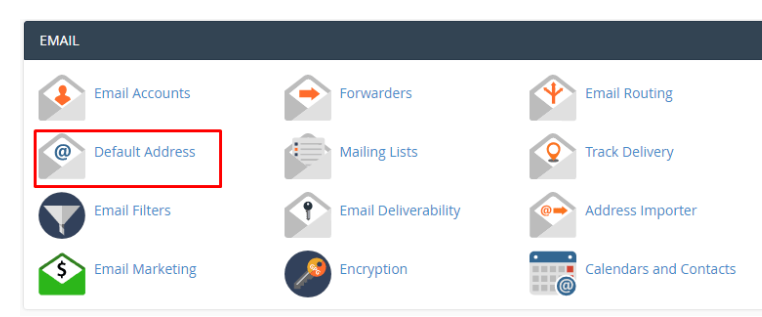
The panel will be the Default Address Maintenance which will provide various options as to how to handle email sent by invalid addresses: specifying a default email address or dropping the email.
The choices available in the Default Address Maintenance panel have been described below:
- Add all unmapped email of the following domain: Choose the domain in the dropdown list which must be given default email address.
- Discard the email while your server processes it by SMTP time with an error message: This allows the server to send a failure message to the sender. Select this when you do not want to have a default address.
- Failure Message (seen by sender): This is the error message that should be typed in the given text box.
- Forward to Email Address: Use this feature in order to set default email address that will be used within the selected domain by typing the address in the text box.
- Advanced Options: These settings should not be changed unless the reason is clearly known.
⇒ Send to your system account “xxxxxxx]: This is a configuration that is used to send all the invalid email messages to your cPanel system account. Before choosing this option, determine with your hosting company the presence of a system mail account.
⇒ Pipe to a Program: This feature is an advanced feature that will pass invalid emails to scripts at a directory path that is entered in the text box. We do not recommend this choice and suggest not to make it unless you are completely aware of how it works.
⇒ Discard: cPanel and we do not recommend this option. Its choice will make it impossible to both get any messages and send a failure notice to the sender.
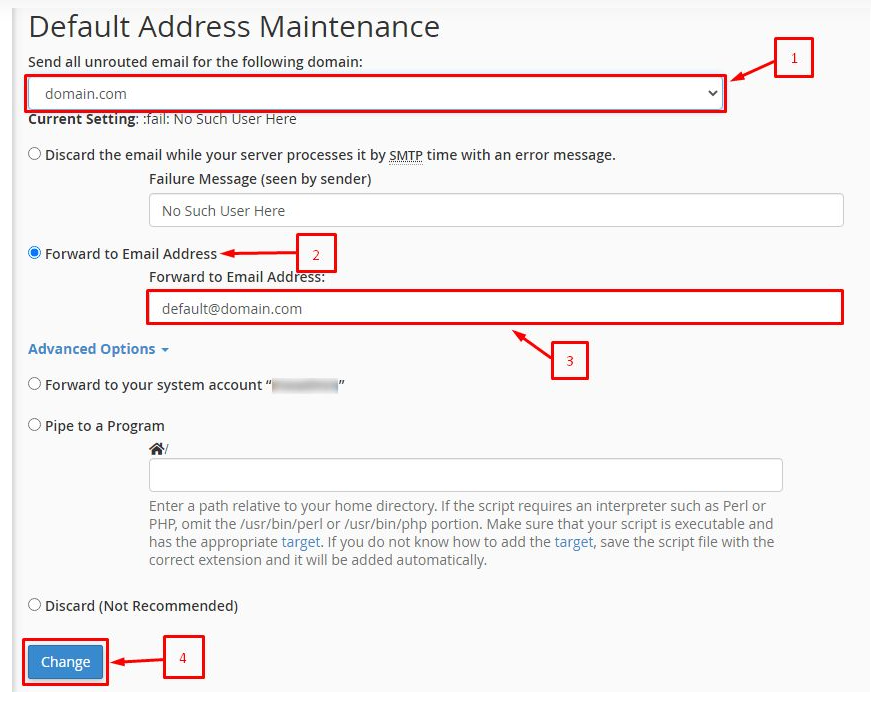
Instructions: Please note the following steps:
Enter a domain name and its default email address in the corresponding field of send all unrouted email of the following domain.
Select the option of forward to email address and make an entry of the email address that you want to assign as default in the given text box.
Click on the Change button to implement the changes.
The system will show a success message that will show:
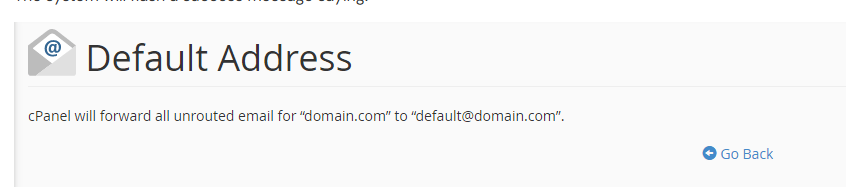
This will enable you to accept all the e-mails that have been improperly addressed to your domain in one email address.
