How to Set Email Quota in cPanel?
The hosting users are required to install a limiter that ensures that the usage of the resources is not abused. This is an article where you will learn how to set an email quota using your cpanel account. This ensures that the hosting user only manages to send a number of email messages using its account without surpassing the memory space.
To Set Email Quota
Log in to your cPanel.
Click on the EMAIL section then the Email Accounts.
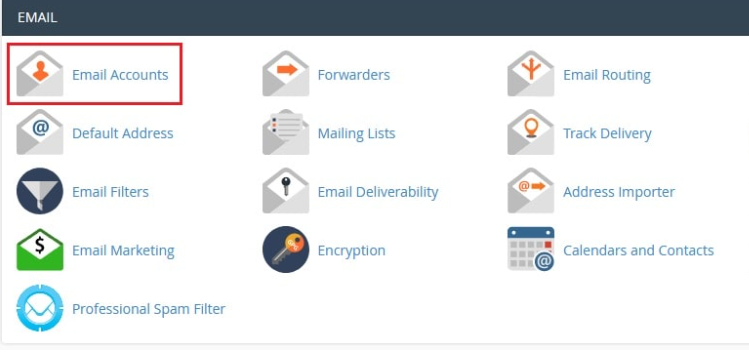
All your email accounts that are running on your hosting will be listed.
Click on Manage email to make its quota.
The MANAGE AN EMAIL ACCOUNT form will come up.
Click the quota and type the Allocated Storage Space of the email account.
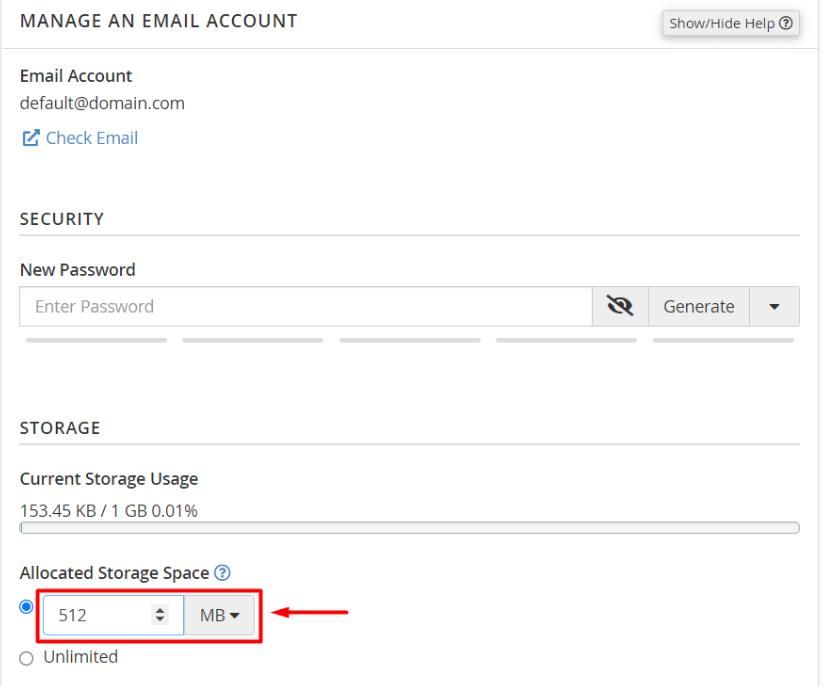
Go to the bottom and then click Update Email Settings.
In it, cPanel will stores the settings and the quota of the email account.
