How to Repair MySQL Database via cPanel, WHM and phpMyAdmin?
You may need to rebuild your databases if their tables or indexes are damaged or corrupted, although this is rare. Repairing the database is a
simple solution.
Repair MySQL Database
through cPanel
through WHM
through phpMyAdmin
Using cPanel, repair a MySQL database
1. Log in to your cPanel account.
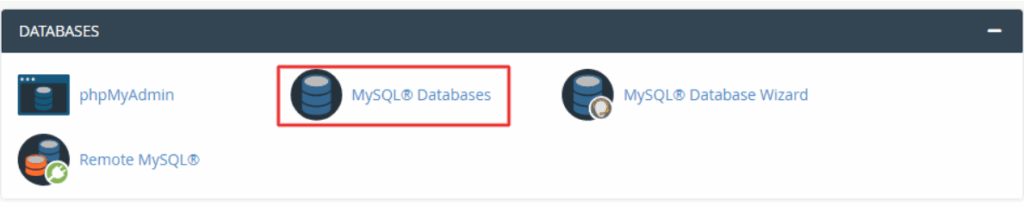
2. Click on MySQL® Databases in the DATABASES section.
3. Locate the Modify Databases section and follow the instructions
- In the Repair Database field, select the database.
- Click on the Repair Database button.
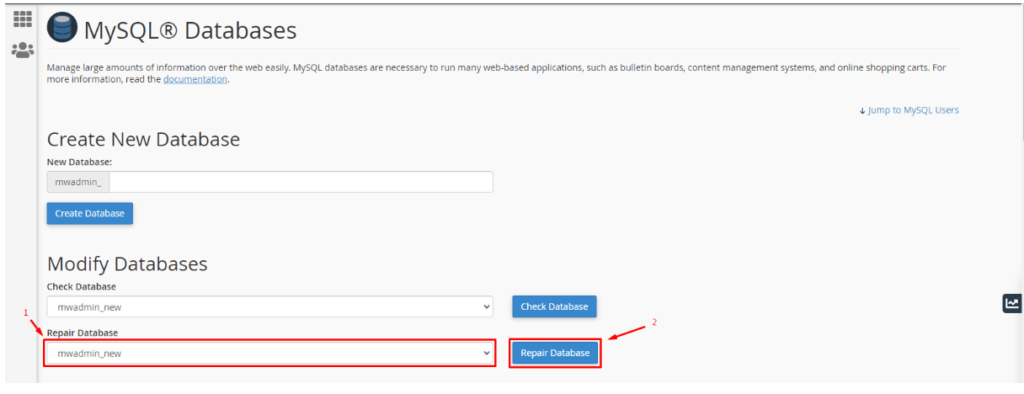
cPanel displays the message: Repair complete!
To Repair MySQL Database via WHM
1. Access the WHM panel with your root account.
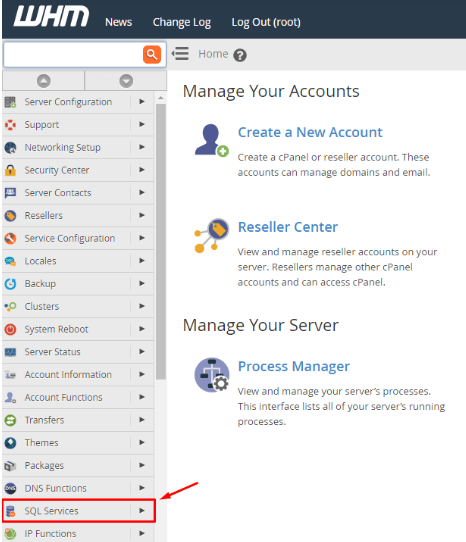
2. Navigate to the SQL Services menu.
3. Select the Repair MySQL Database button.
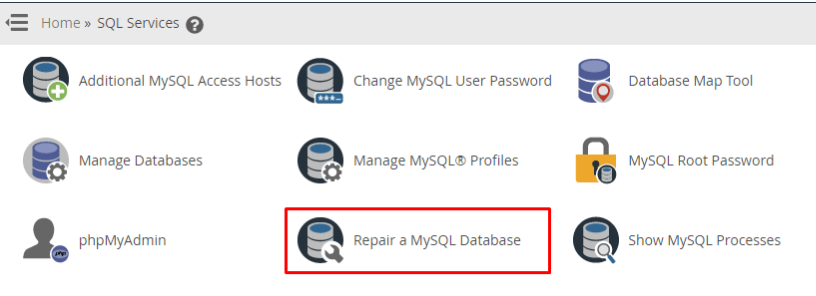
A list of databases will appear.
4. Click Repair Database on the database you want to repair.
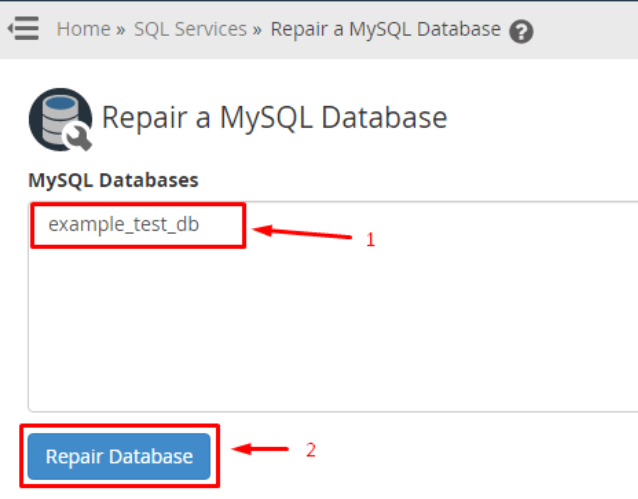
If the database is large, it may take a while for the process to be completed. The system will display a success message after repairing the database:
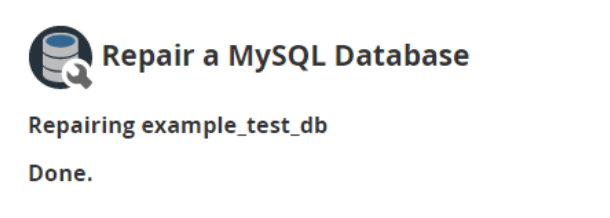
To Repair MySQL Database via phpMyAdmin
phpMyAdmin can be accessed via WHM and cPanel.
To Open phpMyAdmin from cPanel
1. Log in to your cPanel account.
2. Click on phpMyAdmin in the DATABASES section.

To Open phpMyAdmin from WHM
1. Log in to the WHM panel using your root account.
2. Navigate to the SQL Services menu.
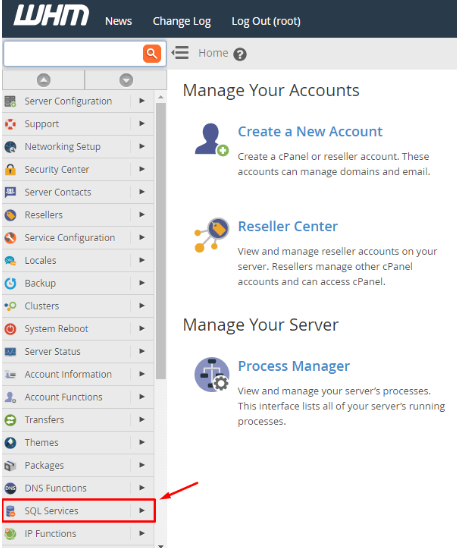
3. Click on phpMyAdmin.
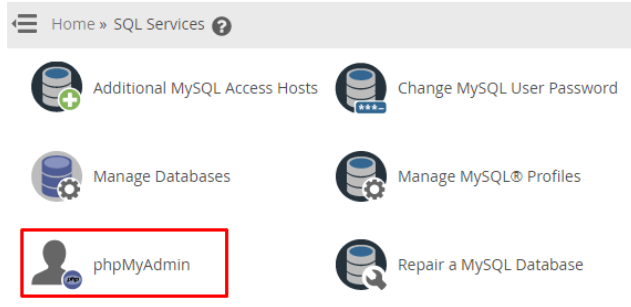
In order to repair a database, you need to open the phpMyAdmin module.
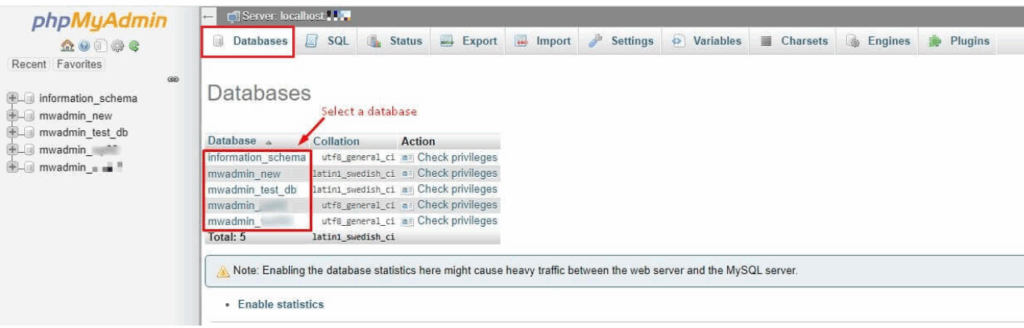
1. Choose a database from the Databases tab.
In the next screen, you will see a list of tables in the database.
2. Select all database tables by checking the All boxes box.
There is a field with a list box beside it saying- With selected:
3. Select Repair table from the list.
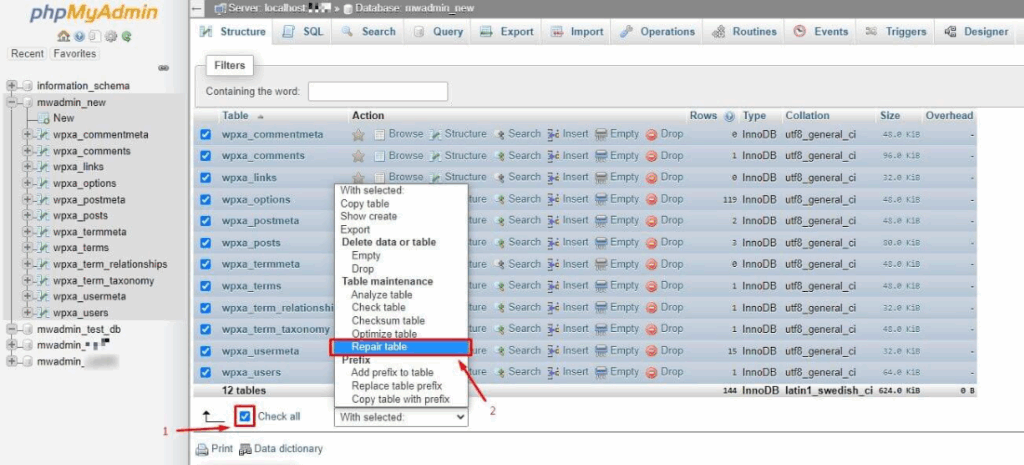
The phpMyAdmin will execute the query for the database tables. A brief report and a success message confirming that the database tables have been fixed will show up after a while.
