How to Install PrestaShop in cPanel from Softaculous?
PrestaShop is a free e-commerce CMS, supported by PHP and MySQL. PrestaShop can be search engine installed (there is Softaculous) on cPanel to begin an online store.
To Install PrestaShop
Log in to your cPanel account.
Visit the SOFTWARE tab and then click Softaculous Apps Installer.
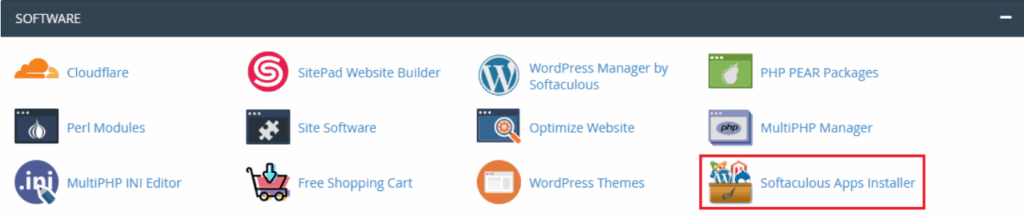
The Softaculous program will be launched.
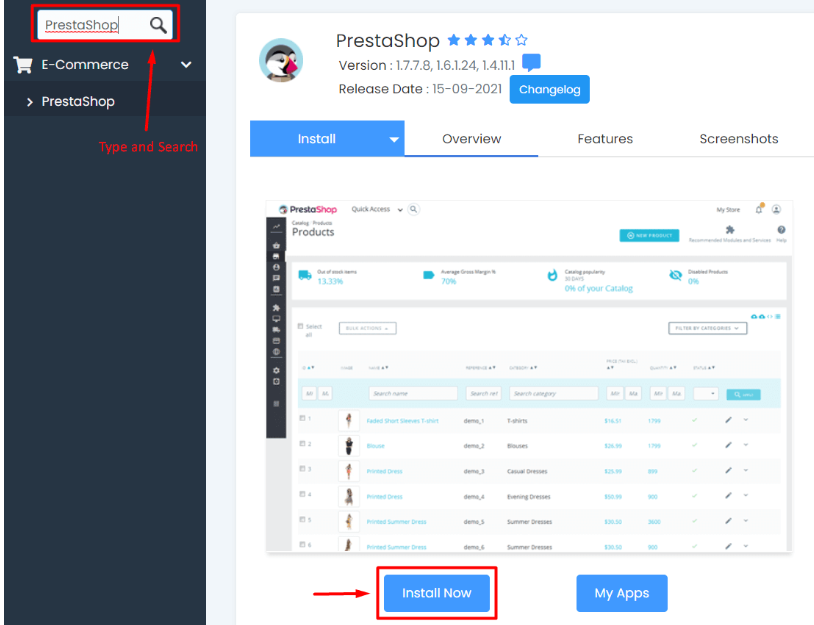
In the Search box, type and search PrestaShop.
The app installation module will be seen on PrestaShop.
Click Install Now.
Enter/Fill in the correct details and Click on Install.
Note
We advise you not to fill the In Directory field otherwise PrestaShop will be located on the sub directory. On the main domain we just have to install it.
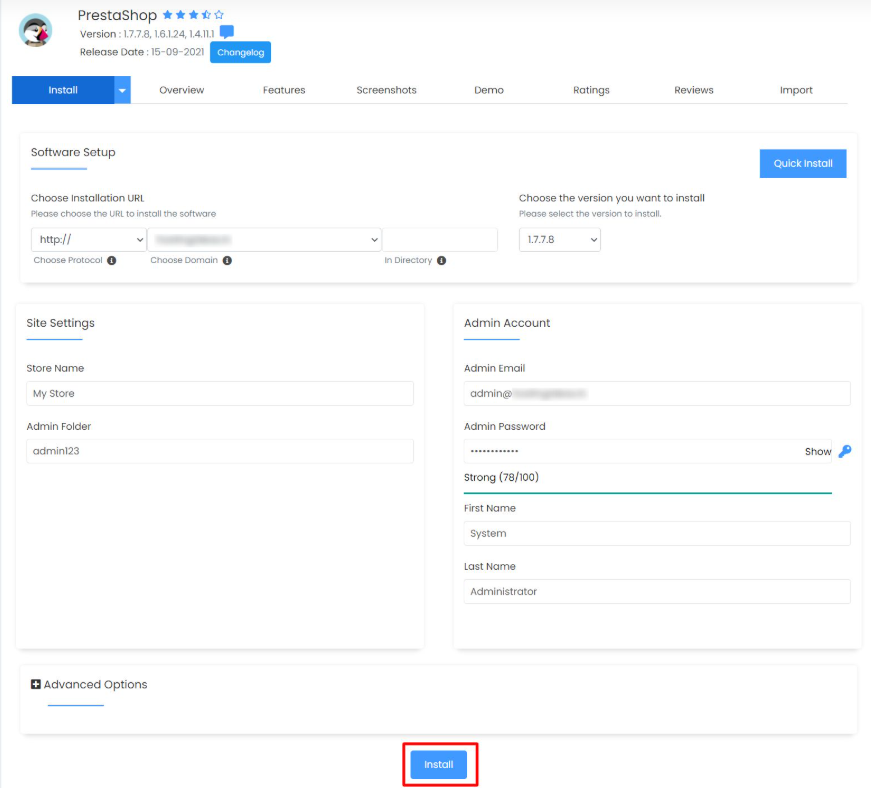
Installation will commence which can take some few minutes.
Lastly, the message of congratulation will be displayed having the administrative URL of the PrestaShop on the site.
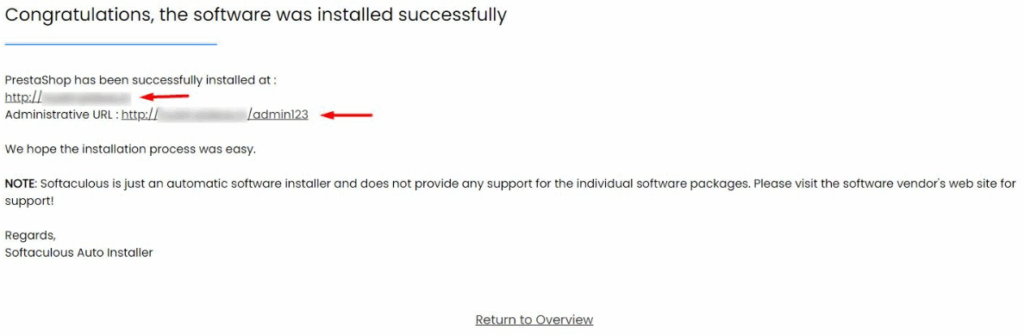
Softaculous sends a message to tell you that it has installed PrestaShop in your cPanel hosting.
