How to Grant all Privileges to a User in MySQL with cPanel?
MySQL privilege system identifies a user to access definite alterations in a database. A user can perform operations on the database based on the privileges awarded to them which includes SELECT, INSERT, UPDATE, DELETE, and etc. This system could be accessed with the help of cPanel.
Providing All Privileges in MySQL through cPanel:
Log into your cPanel account.
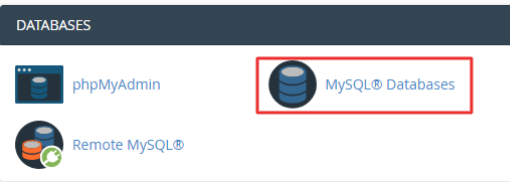
Navigate to the DATABASES section and choose MySQL -Databases.
Go down to the Add user to database section of the MySQL users section. Select the user that you want to give privileges to and the type of database you want. Click the Add button.
The system will take you to the Manage User Privileges where the privileges to be accorded to the user will be selected.
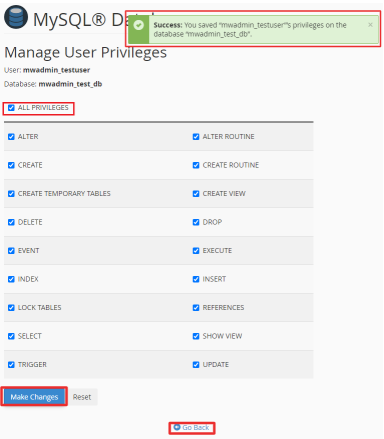
In order to provide the user with all privileges, select the ALL PRIVILEGES box and press the Make Changes button. There will be a confirmation message, which will mean that the system has saved the chosen privileges of the user successfully. Click on Go Back on the list at the bottom.
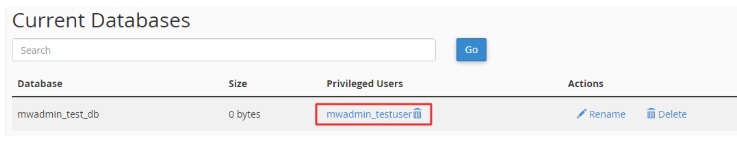
You will be directed to MySQL Databases. In this case, you can check that the privileges were provided to the user as the Privileged Users column of the Current Databases table shows.