How to Create Reseller Accounts on WHM cPanel?
The users of Virtual Private Servers (VPS) or dedicated servers which run with the WHM/cPanel system have privileges. Some of these privileges allow the creation of reseller accounts through regular cPanel accounts. Such reseller accounts can be tailored to a set quota of memory, disk space and bandwidth. Being a root user you can also give the account limited rights which means that the user could create and manage new cPanel accounts by logging in to the WHM panel.
To Create Reseller Accounts
Use your root account to log in to the WHM panel.
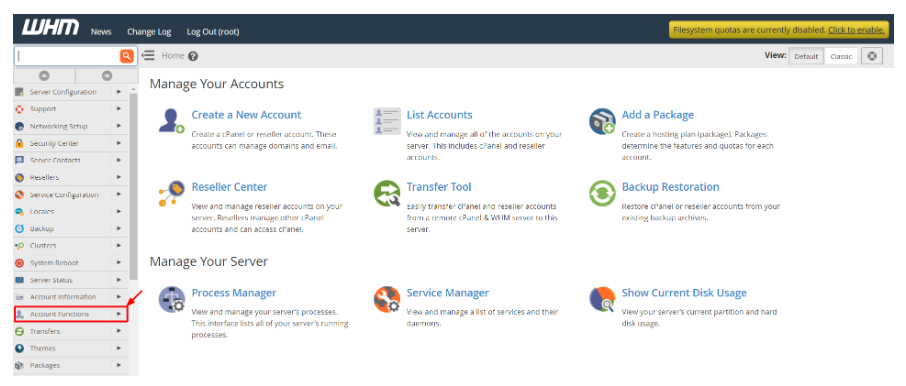
Click on the option of Account Functions on the navigation menu.
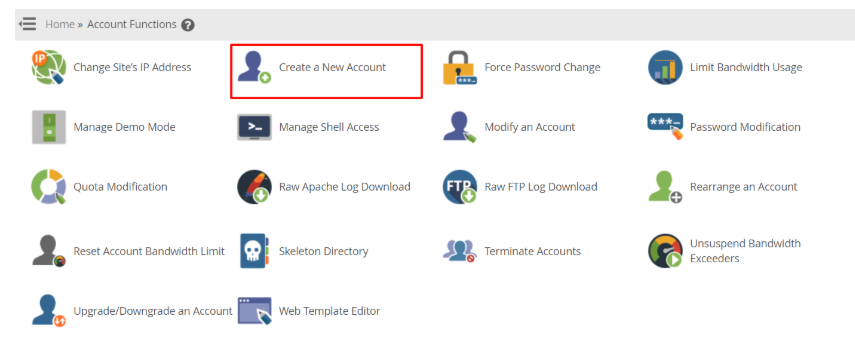
Click on Create a New Account.
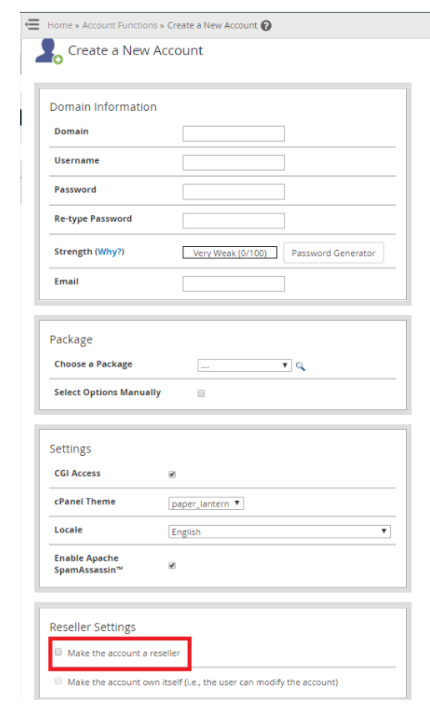
A form will come in upon which you are to enter the information of the account. But the step that follows this cannot be undermined.
The form has a section called Reseller Settings; under this section, make a choice of Make the account a reseller.
When you are full of the details, then click on Create.
This will give you a brand new reseller account available to you.
Note: You can allow the user to manage and administer the reseller account by ensuring that Make the account own yourself option has been ticked. Do not use this option when you do not want to lose the privilege to the root account.
You can upgrade the current account on your server to reseller account. One can add reseller privileges to the account through Reseller Center.
To Enable Reseller Privileges to an Existing Account
Enter the WHM panel using root account.
Choose the Resellers menu in the navigator menu.
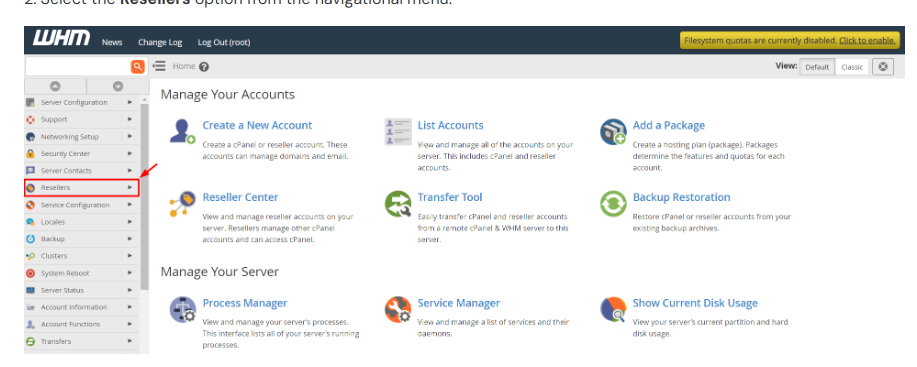
Click on the Reseller Center.
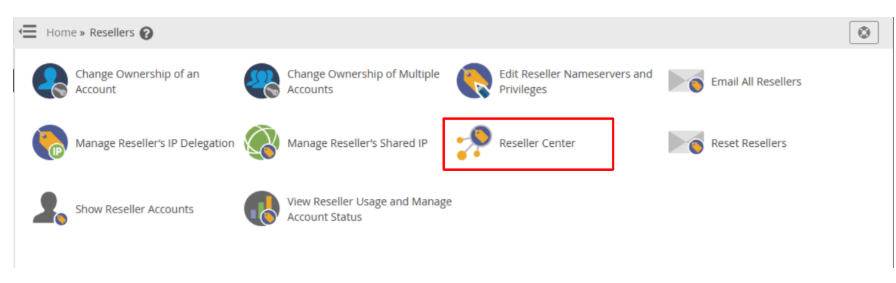
Choose the cPanel account in the drop-down menu of the “Add Reseller Account Privileges” and select the privileges and then hit the Add button.
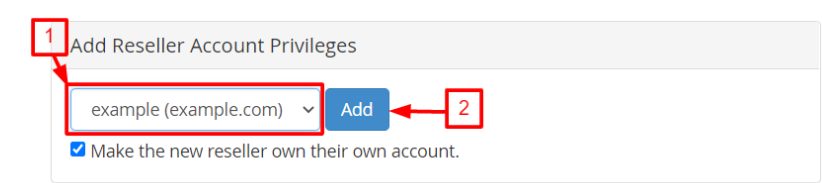
You can also choose the alternative which is to make the new reseller own their own account. The above information will make you realize the intention of this option.
The system will show a confirmation message to you that the reseller privileges have been provided to the account.
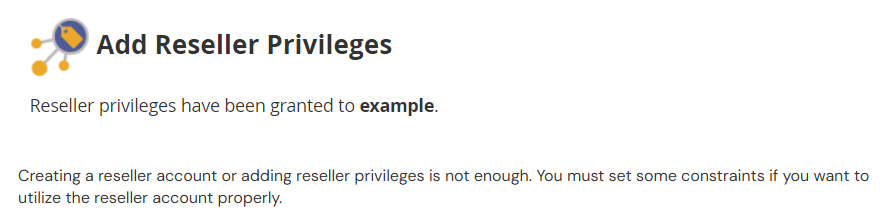
It is not enough to create a reseller account or even to add reseller privileges. There are more restrictions that you need to establish to effectively use the reseller account.
To Define Account Reseller Privileges
Open the Reseller Center.
To establish the privileges of reseller account, choose the reseller account option in the drop-down list.
Select the “Edit Reseller Nameservers and Privileges menu.
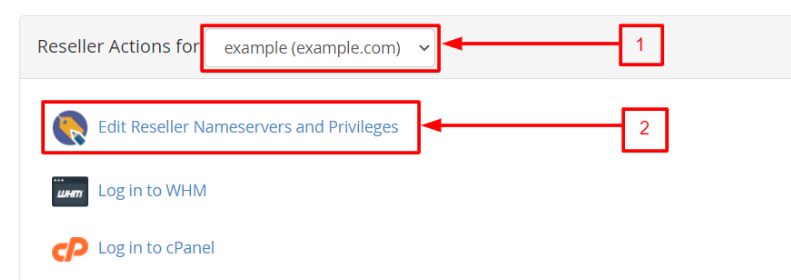
The page will be in a form and will allow numerous choices to set the reseller account settings. These are the privileges that can be bestowed upon the reseller, and as such, they determine the power of the person who puts them into use.
Choose the options of privileges to be given to the account and press the button at the bottom.
In case you want to cancel reseller privileges of an account, you can cancel this and not the account itself.
To Remove Reseller Privileges of an Account
Open the Reseller Center
Choose the reseller account on the list of the Remove Reseller Account Privileges and click on the “Remove” button.
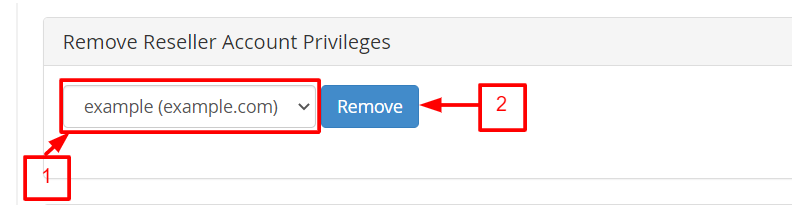
This will not cancel out the reseller privileges previously assigned to that account; it will however cancel its reseller privileges, which will make the WHM panel inaccessible to the account user.
