How To Create Email Accounts From cPanel?
When you have cPanel access, creating custom email addresses for your domain is fast, easy, and user-friendly. You are allowed to establish multiple email accounts, set strong passwords for each, and set a custom mailbox storage limit for each. In addition, it’s convenient to manage your email accounts from one and the same place.
In this guide, we will describe the easy procedure to establish a new email account for your domain from cPanel. Just follow the instructions below to do this in little time.
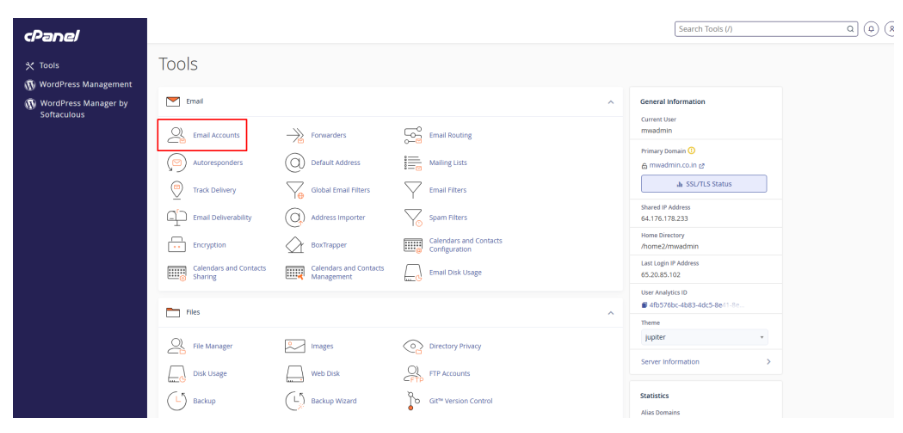
1. First, you have to log in to your cPanel, go to the Email section, and then click Email Accounts.
2. From the dropdown box, choose the domain to which you want the email account to be tied to and then enter your preferred Email and Password.
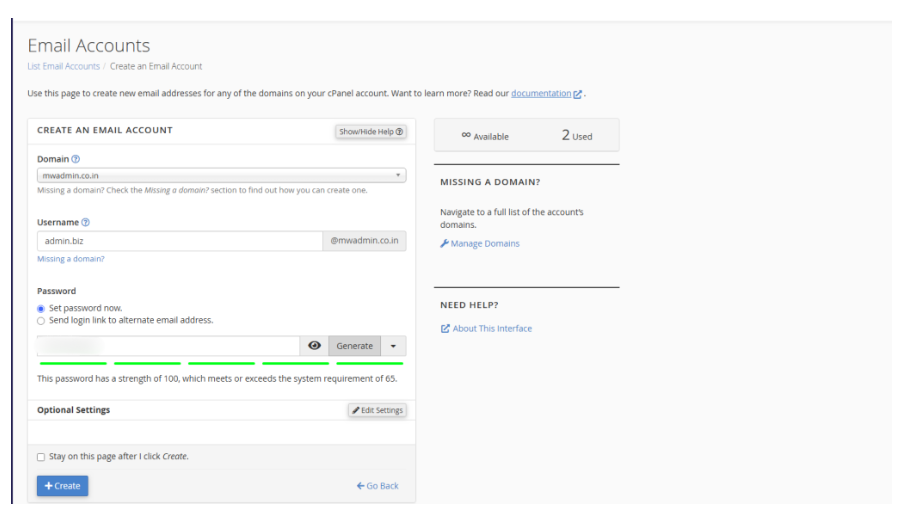
3. Click Create Account after you have filled in all the necessary fields on the form.
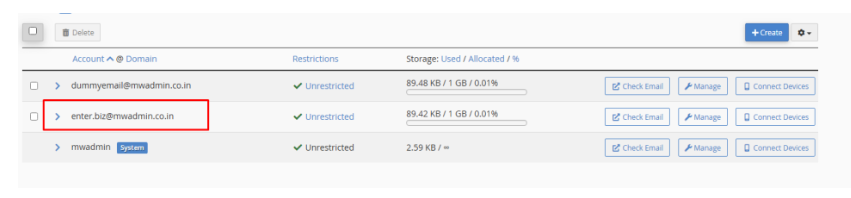
4. To access Webmail, click more beside the account in question and then Click Email.
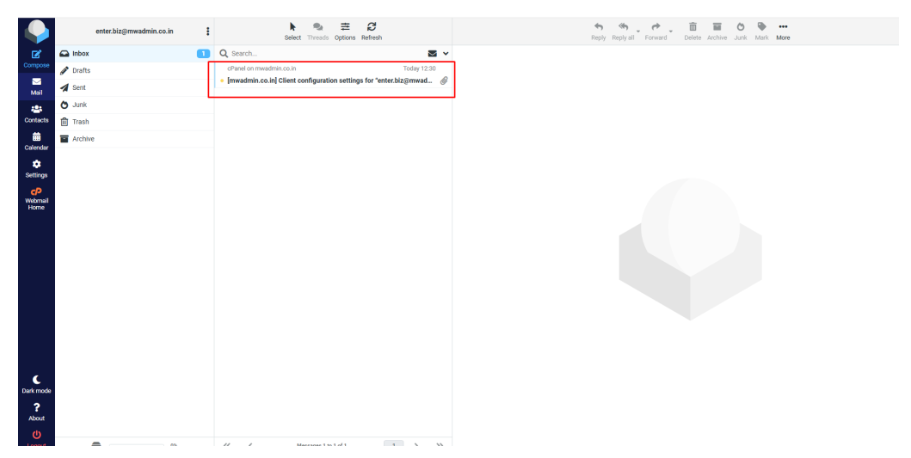
5. You will then be taken to the Roundcube Webmail interface.
If you have any questions about setting up your email account in cPanel, please contact us at our official email.
Conclusion
Making a cPanel Email account is a great way to start having a professional communication channel for your account. It is also simple to do. bank account manager, personal account, and override manager, cPanel allows you to Control Everything.
Having a consistent communication channel is important for any business. It allows to streamline, enhances synergy, and organizing is so much easier. This is one of the many tools cPanel allows to do and is something every white site owner must have.
