Copy Multiple Accounts From Another Server With Root Access
When copying over multiple user accounts from one server to another with root access on both machines, there are many factors to consider to gain the best possible outcome. The job is not as easy as copying a folder over. You must get a good depth of each user account, get user folders, security, settings, groups, memberships. The most difficult part of the job is being able to pull the entries that are needed from /etc/passwd, /etc/group, /etc/shadow of each user, while all of the users’ home directories are being copied over simultaneously.
In order to be efficient, a planned, preferably scripted, approach is needed to define the user mappings to ensure that there is no overlap with existing accounts on the new server which is the most important task when having to migrate a large number of users to a new server at the same time.
1. Go to WHM on our server.
2. Type ‘Transfer’ into the search bar at the top left.
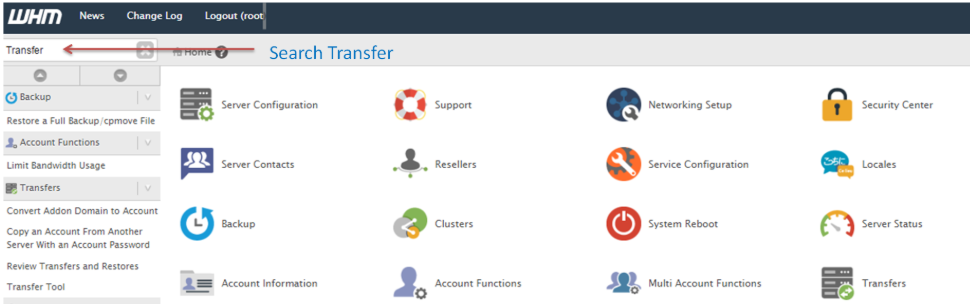
3. Click on Transfer Tools in the Transfer section.
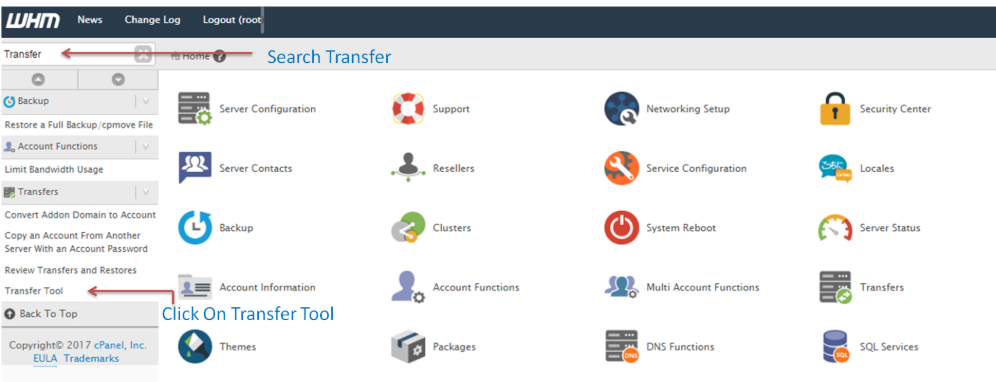
4. You will now be served with the Remote Server Information page.
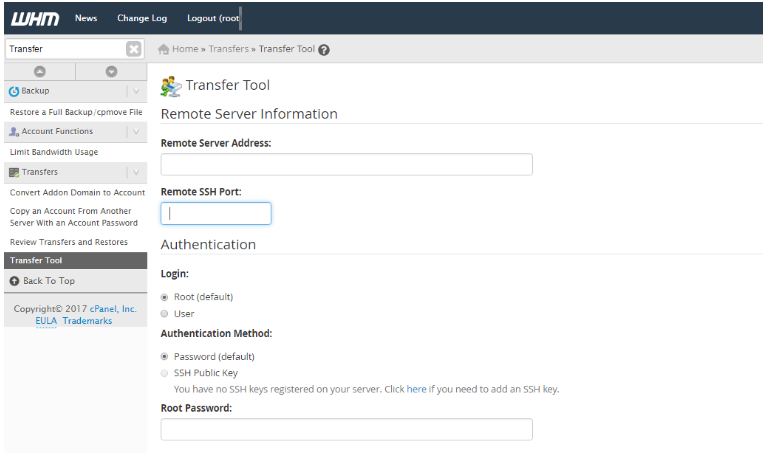
5. Input Your Remote Server Address.
6. Input the port number. The default Remote SSH Port is 22. If yours is different, enter that in the Remote SSH Port box.
7. Type in the root password.
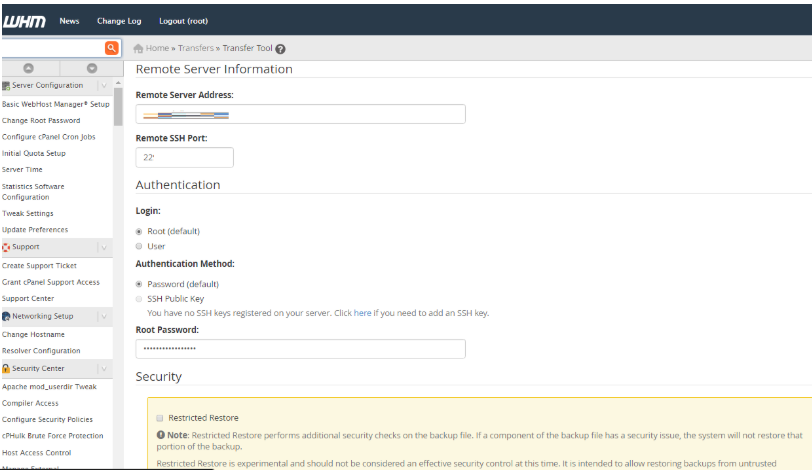
8. Click on Fetch Account lists.
9. The subsequent stage involves receiving a list of accounts present on the server.
10. Mark the accounts you intend to duplicate.
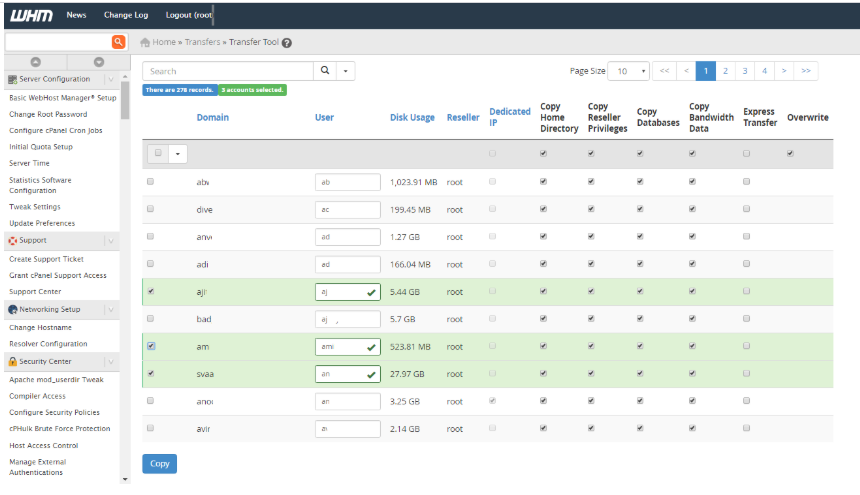
11. You can also check the box for Dedicated IP so that a separate IP is allocated for the account on the new server.
12. Hit the Copy button.
Conclusion
The successful migration of a large number of user accounts is the outcome of a structured process that has multiple automation steps. It involves gathering and inserting from the selection of users the configuration from /etc/passwd, /etc/group, and /etc/shadow to a bulk transfer of their home folders, for instance, with rsync.
The most important of these steps is to check that the UIDs, GIDs, and file permissions are consistent on the source and the destination server. These steps can be systematized. This gives the administrators a complete, fast transfer while providing all users on the set on the new server, the ability to work from them, concurrently, without interruption.
